Strava Monthly Recap
October 2026

syauqy.dev/recap
Strava Running Recap Generator
This is what you’ll get
Because just showing up deserves to be seen
Turn your runs into something worth sharing. No screenshots, no design.
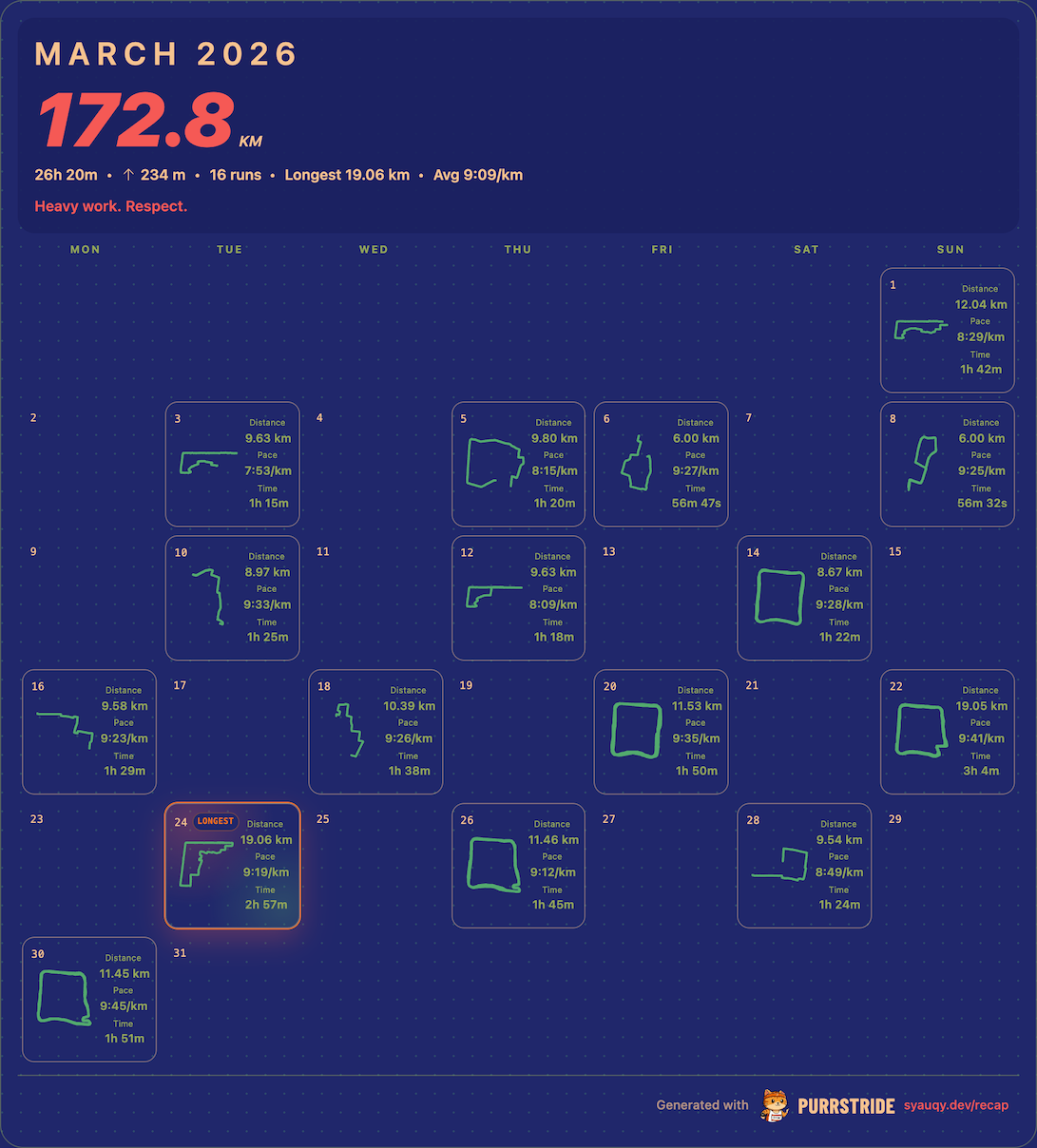
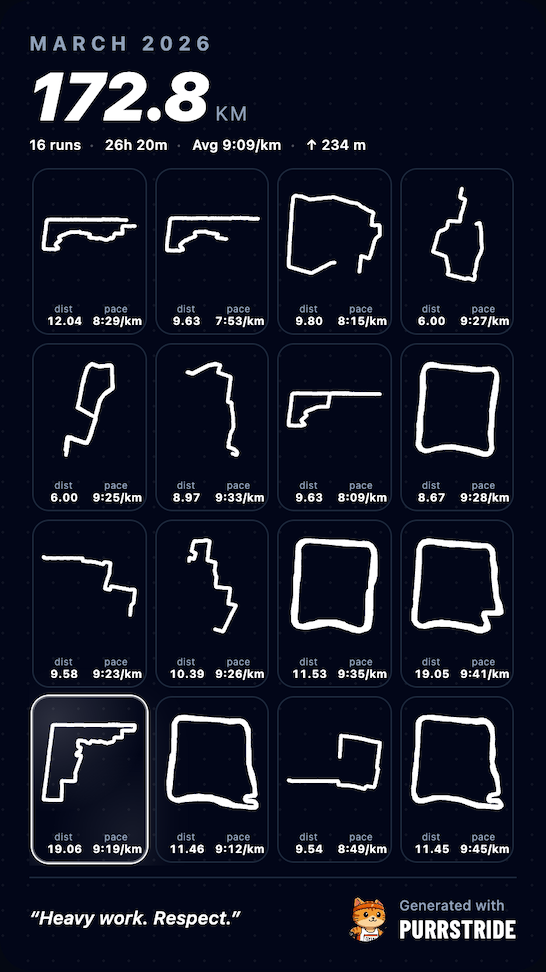
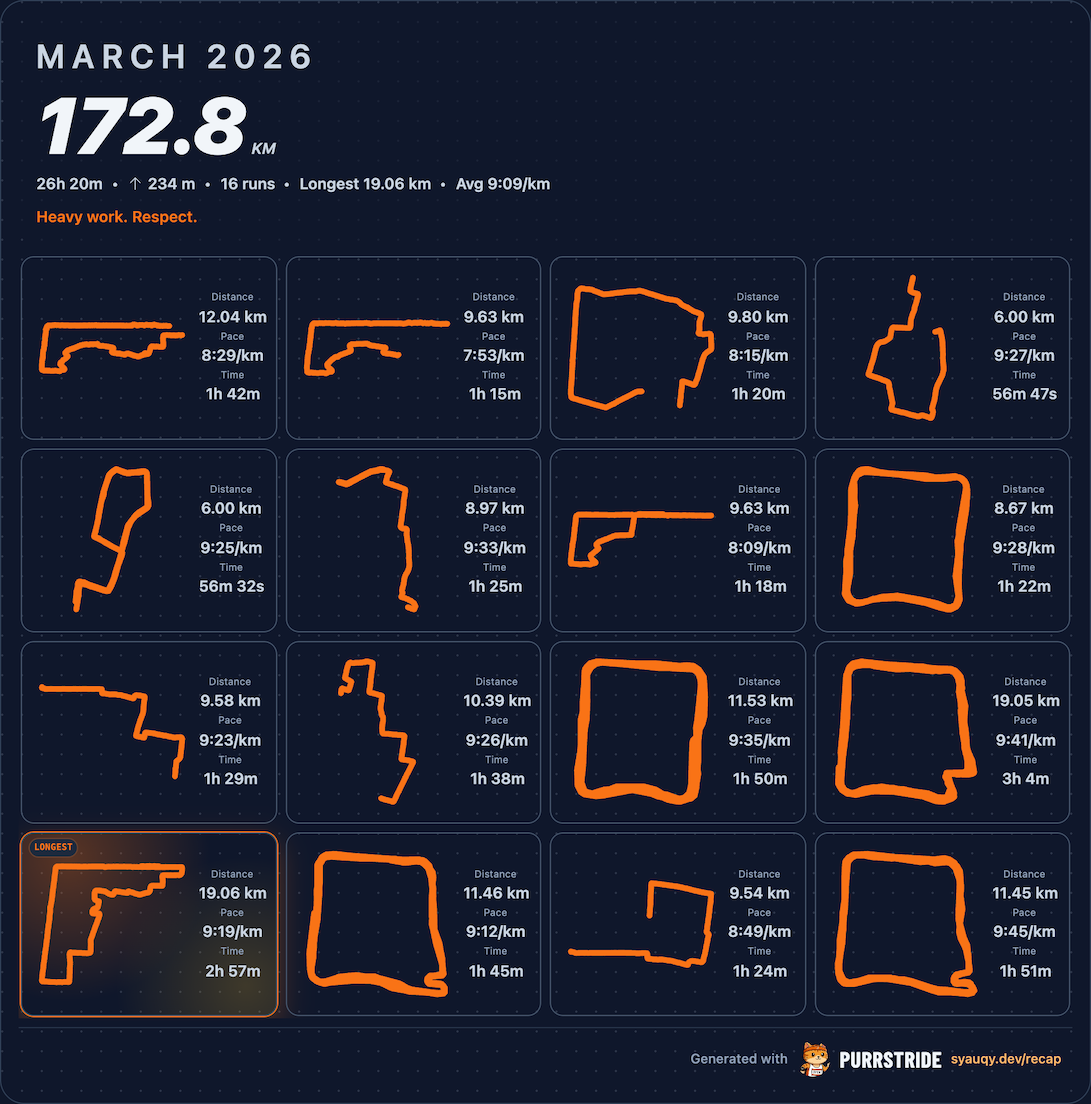
Made for Stories, feeds, and the group chat
Pick a format. Download. Done.
Doesn't look like every other recap post
Six colorways. Pick the one that fits your vibe, not the default everyone else uses.
Better than a cropped Strava screenshot
Download a clean, high-res PNG. No cropping. No awkward Strava UI in the frame.
How It Works
From Strava to share-ready in minutes
01
Connect Strava
Read-only. That's it.
02
Pick a month
Preview builds instantly.
03
Make it yours
Layout, color, stats.
04
Download & post
Stories, feed, group chat.
FAQ
Common questions
How do I make a Strava monthly recap?+
Connect your Strava account, pick a month, and the recap generates automatically. Choose a layout and colorway, then download. Done in under two minutes.
How do I share my Strava runs as an image?+
This tool exports a high-res PNG you can post directly to Instagram Stories, your feed, or anywhere else. No more screenshotting the Strava app.
How do I create a running recap post?+
Pick your month, choose a layout (Calendar, Balanced, or Story), pick a colorway, and download. It's designed to look good without any design work.
Is this Strava recap generator free?+
Yes, fully free. All you need is a Strava account.
Does this tool store my Strava data?+
No. We don't store your data. It's fetched on demand and stays only in your browser session.
Can I try it without a Strava account?+
You can see the demo without signing in. Connecting Strava is only needed for your own recap.
Which activities show up?+
Runs only, for the month you picked. You can hide indoor or treadmill runs from Settings if you want.
What size is the downloaded image?+
All layouts export at 1080px wide. Story is always 1080x1920px (9:16). Calendar and Balanced height scales with the month's content, typically around 1350px.
Why does my route map not show on some runs?+
Maps need GPS data. Indoor runs don't have it. Toggle "Indoor Runs" off in Settings to hide them.
Can I write my own caption?+
Yes. Open Settings, find Custom Narrative, and type whatever you want. It replaces the auto-generated quote.
What is the Strongest Day highlight?+
The day you ran the furthest gets a gradient ring in the grid. It's a toggle in Settings if you'd rather skip it.